ProjectUpdated 4 min read
Docker port-forward
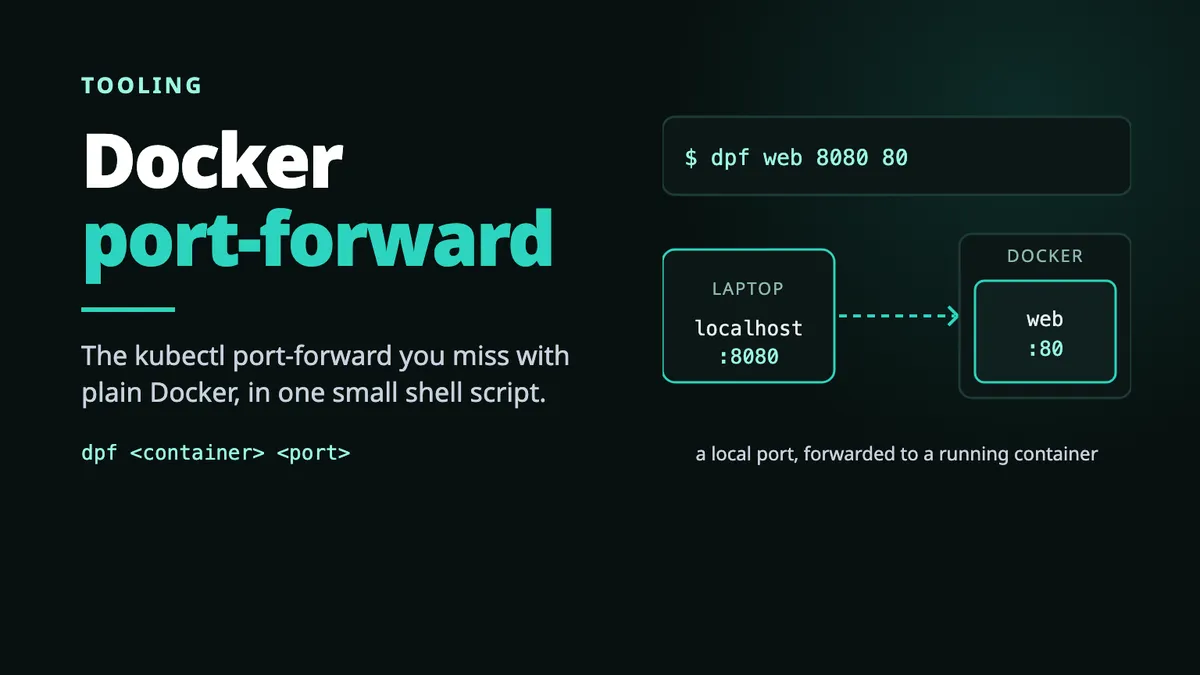
kubectl port-forward command is quite useful. I just made the same for docker 🐳
First published in February 2019 as a short note. Rewritten and expanded in October 2026, with an update at the end on what happened since.
A container is already running : a database, an admin UI, a service in the middle of a Compose stack. Its port was never published to the host, because nobody needed it when the container was started. Now you need it, for ten minutes, from your laptop.
With Kubernetes, that is one command :
kubectl port-forward pod/web 8080:80Docker has no equivalent built-in command for adding a published port to an already-running container.
Why Docker can’t do it
Docker publishes ports when a container is created. docker run -p 8080:80 sets up the forwarding, and that mapping is part of the container’s configuration from then on. There is no command to add a published port to a running container.
The usual workarounds all mean starting over : stop the container, recreate it with -p, and hope it comes back in the same state. That is fine for a stateless service. It is not fine for a database full of test data, or for a container somebody else started with options you don’t remember.
How dpf does it
dpf doesn’t touch the target container. It starts a second, throwaway container on the same network, publishes the port on that one, and relays every connection to the target with socat :
# the network the target container runs onNETWORK_NAME=$(docker inspect ${CONTAINER_NAME} -f '{{.HostConfig.NetworkMode}}')
docker run \  -it --rm \  --net=${NETWORK_NAME} \  --link=${CONTAINER_NAME} \  -p ${FORWARD_PORT}:${CONTAINER_PORT} \  --name=${CONTAINER_NAME}_port_forward \  alpine/socat \  TCP4-LISTEN:${CONTAINER_PORT},fork,reuseaddr \  TCP4:${CONTAINER_NAME}:${CONTAINER_PORT}
localhost:8080 → web_port_forward (socat) → web:80 your laptop published, throwaway untouchedThe relay runs in the foreground. Ctrl-C stops it, --rm removes it, and the target container is left exactly as it was. The command line copies kubectl :
dpf <container-name> <local-port> <container-port>
# or, with the same port on both sidesdpf <container-name> <port>
The checks
Most of the 57 lines of the script are not the forwarding. They check the input first, so that you get a readable error instead of a Docker one, and each check exits with its own code :
| exit | check |
|---|---|
| 2 | at least a container name and a port |
| 3, 4 | the ports are numbers |
| 5 | the container exists |
| 6 | the container is running |
| 7 | the container declares the port you asked for |
| 8 | the local port is free |
Check 7 reads the ports Docker knows about for that container :
if [[ -z $(docker inspect ${CONTAINER_NAME} -f '{{range $i, $x := $.NetworkSettings.Ports}}{{if eq $i "'"${CONTAINER_PORT}"'/tcp" }}{{$x}}{{end}}{{end}}') ]]; then echo "Error: container ${CONTAINER_NAME} doesn't interact with port ${CONTAINER_PORT} !" >&2 exit 7fiLimits
- TCP only, one port per run. Three ports means three terminals.
- The image must declare the port. A service listening on a port its image never
EXPOSEs is refused by check 7, even though socat could reach it. - The existence check matches on a substring.
docker ps -f name=webalso matcheswebapp, so a typo can pass check 5 and fail later. - It uses
--link, a legacy flag, so the relay can reach the target by name on the default bridge. On a user-defined network the name resolves anyway. - Containers on the host network are out of scope. They don’t need it.
Install
Let’s be honest, it was mostly a pretext to write a one-line installer in Bash, the kind nvm made popular 😏
curl -o- https://raw.githubusercontent.com/vspiewak/dpf/master/install.sh | bashThe code is on GitHub.
Update, October 2026
The problem is still there, and the idea was neither the first nor the last of its kind.
Docker’s own documentation described the pattern years before dpf : the ambassador container, svendowideit/ambassador, a socat container that you --link to a running container and publish with -p. Dokku has maintained it as dokku/ambassador since 2019. dockward dates from 2016 as well, and docker-forward came later.
In April 2026 the Dokku project started docker-port-forward, a Docker CLI plugin on the same principle, which does much more than dpf : several ports at once, UDP, Compose services by name, a detached mode.
docker pf my-container 8080:80If you need this today, use the plugin.