Project7 min read
A next button for live coding demos
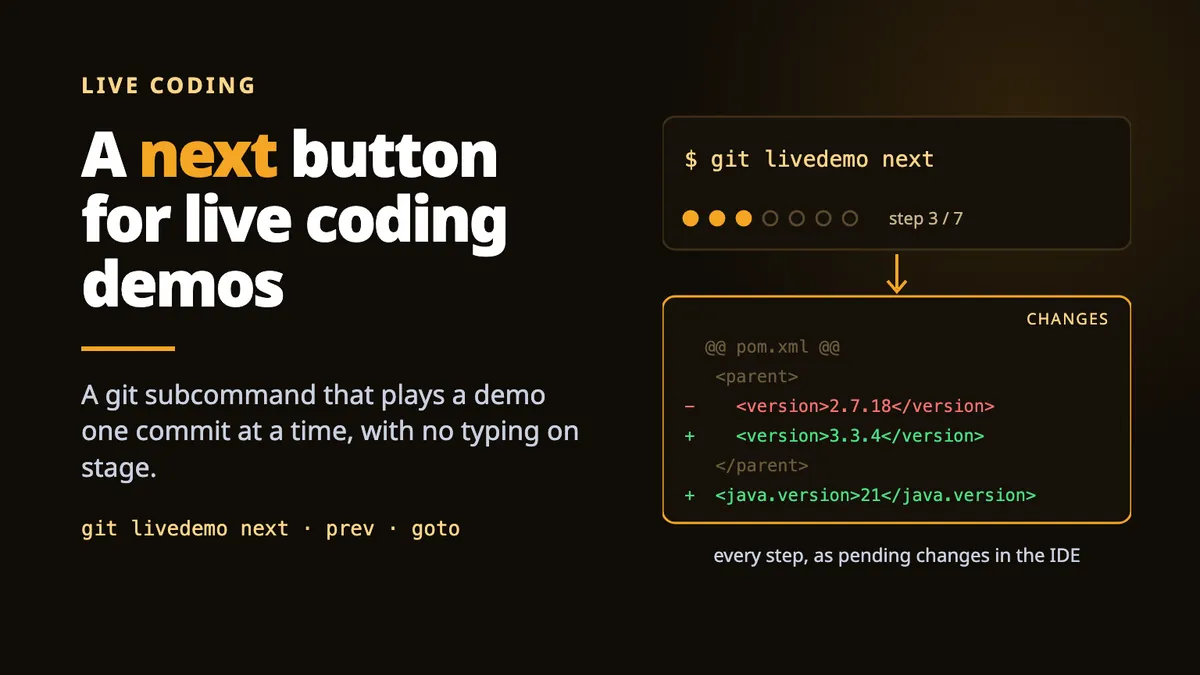
A git subcommand that plays a demo one commit at a time, and makes every step show up in your IDE as pending changes 🎬
At work, we’re in the middle of a Java 21 / Spring Boot 3 migration, tests first. A migration like that needs a foundation to land on (a shared parent, a BOM, a few starters), and a foundation only works if the people building on it understand it.
So I’m walking the data engineers who will build on it through it. Live, in the IDE, one commit at a time.
And I wanted a next button.
The problem : checkout shows the result, not the change
I build a demo the usual way : a branch, one commit per step, oldest first. Then, in front of the room, I check out the next commit. The files are right. And the IDE has nothing to say :
$ git checkout e562fcf$ git statusHEAD detached at e562fcfnothing to commit, working tree cleanThe Changes view is empty. There is nothing to point at, so I end up flipping to git log -p and scrolling a patch in front of everyone. That is not a demo.
A live demo is about the diff : what this step adds, what it removes, and why. checkout answers “where are we ?”, while the room is asking “what just changed ?”.
The trick : HEAD one step behind
git-livedemo plays step N by putting step N into the index and the working tree while HEAD stays on step N-1. The gap between HEAD and the index is the step, and that gap is exactly what every IDE renders as pending changes :
use, list, next, next, prev, next, exit : every step lands in the Changes view with its diff, and exit puts the branch back.
The whole mechanism is three git plumbing calls. Condensed from the script :
# HEAD sits on the previous step, so the pending diff is exactly this step.git update-ref HEAD "$(commit_of $((n - 1)))"
# The step's tree, into the index and the working tree.git read-tree -u --reset "$target_tree"
# Whatever was typed live goes. Ignored files and nested repositories stay.git clean -fd -e .gitignore
And git status agrees with the IDE. Added, deleted, modified, all staged and ready to walk through :
$ git livedemo goto 3Step 3/3 - Replace the routes with a health check  3 files changed, 3 insertions(+), 3 deletions(-)
$ git status --shortA  src/health.jsD  src/routes.jsM  src/server.js
The IDE doesn’t know git-livedemo exists. It shows what git reports, so any editor with a Changes view works. There is nothing IDE-specific to support.
A git subcommand, not an install
Git has no plugin registry. When it meets a subcommand it doesn’t know, it looks for an executable called git-<name> on your PATH and runs it. That’s how Git LFS works too. So git-livedemo is one bash file in ~/.local/bin. No runtime, no config, nothing added to your project : the state lives in one file under .git/, so there is nothing to .gitignore and nothing to commit by accident. Deleting the file is a complete uninstall.
It even runs on the bash 3.2 that macOS still ships, which is why it reads commits with a while read loop instead of mapfile 🙃
Version 1 had a guard for everything
A demo tool rewrites your working tree dozens of times, in front of an audience, and a demo tool that eats your work is worse than no tool. So v1 grew a guard for every situation I could think of : it scanned untracked files for clashes on every step, reconstructed the current step by hashing the index, saved and restored every .gitignore blob, and started playback on a bare next.
Each guard was right on its own. Together, they were hard to hold in your head, and I would not trust a safety model like that on stage.
Three days later, v2 kept the mechanism and rebuilt the safety around one rule on each side of the door.
Getting in is all or nothing. git livedemo use <branch> refuses if the working tree holds anything of yours (an edit, a staged file, an untracked file) and names it :
$ git livedemo use mainThe working tree is not clean, and playing would drop all of this: M src/server.js ?? notes.mdCommit it, or stash it with: git stash push -uIt also refuses mid-merge or mid-rebase, and when a livedemo branch already exists : the tool creates that branch itself and deletes it on the way out, so one that is already there is yours, or a demo that ended badly.
Once you’re in, every step starts from its own tree and nothing else. Whatever you typed live (a typo, a scratch file, a half-finished edit), the next move drops it without asking, and names the files it removed :
$ git livedemo prevStep 2/3 - Add the routes 2 files changed, 3 insertions(+), 1 deletion(-) dropped scratch.txtDropping without asking sounds reckless. It’s the opposite, because of the gate :
Everything the demo drops, the demo put there.
One check at the door makes every later step safe by construction. And the payoff on stage : a live edit that goes wrong can’t derail the rest of the talk. Step 6 looks the same whether or not step 5 went to plan 😅
Three things it never touches
“Drop everything” has three exceptions, each one because getting it wrong costs more than a demo :
- Ignored files :
target/,node_modules/,.idea/. Losing them means a full rebuild in the middle of the talk. The branch’s.gitignorefiles are kept on disk at every step, including the steps from before the commit that added them. Otherwise an early step would leave your build output unprotected. .gitignorefiles themselves, whoever wrote them. A step can’t tell one you typed live from the rules protecting your build output, and dropping the wrong one would un-ignore everything it covers.- Nested repositories and submodules.
git cleangets one-f, not two : a nested repository is a submodule as often as it is a prop, and a deleted submodule costs a re-clone.
151 assertions for a bash script
That is a lot of tests for a bash script, but this one rewrites your files in front of an audience. The v2 rewrite took the suite from 91 to 151 assertions, all of them against real repositories : the entry gate in every shape, the diff of every step, what a move drops and what it spares, submodules, ignore files committed late or never committed at all, non-ASCII filenames, symlinks, a merge, two steps sharing a tree, and every way out of a demo.
Some edge cases are worth a line of code each :
# Asked for rather than written out: a SHA-256 repository has its own empty tree.EMPTY_TREE=$(git hash-object -t tree /dev/null)
# A typed 08 is step eight, not a broken octal literal.to_decimal() { case "$1" in ''|*[!0-9]*) return 1 ;; esac; echo $((10#$1)); }
Even the recording above is generated, not hand-made : a script builds a throwaway repository, drives git-livedemo through it for real, and draws the editor from the state it reads back out of git after every command. The demo of the demo tool cannot drift from what the tool does 🐢
How it compares
Walking a talk through a chain of commits is not a new idea. git-slides checks out each commit : right files, empty Changes view. gitlogue replays commits as an animation in the terminal. CodeTour walks hand-authored waypoints in the editor. If your demo lives in the terminal, one of them is the better tool. git-livedemo is for the other case : the demo lives in the IDE, and the diff is the point.
Try it yourself 🚀
- Install one file, into
~/.local/bin:Terminal window curl -fsSL https://raw.githubusercontent.com/vspiewak/git-livedemo/main/install.sh | sh - Build your demo the way you already do : a branch, one commit per step, oldest first
- Start with
git livedemo use <branch>: you land on step 0, an empty tree - Present with
git livedemo next: each step appears in your IDE as pending changes. Even better withalias next='git livedemo next' - Finish with
git livedemo exit, back on the branch you came from
Everything else (prev, goto, list, the guards, the tests) is in the README.